Projects / SERVERDR
ServerDr
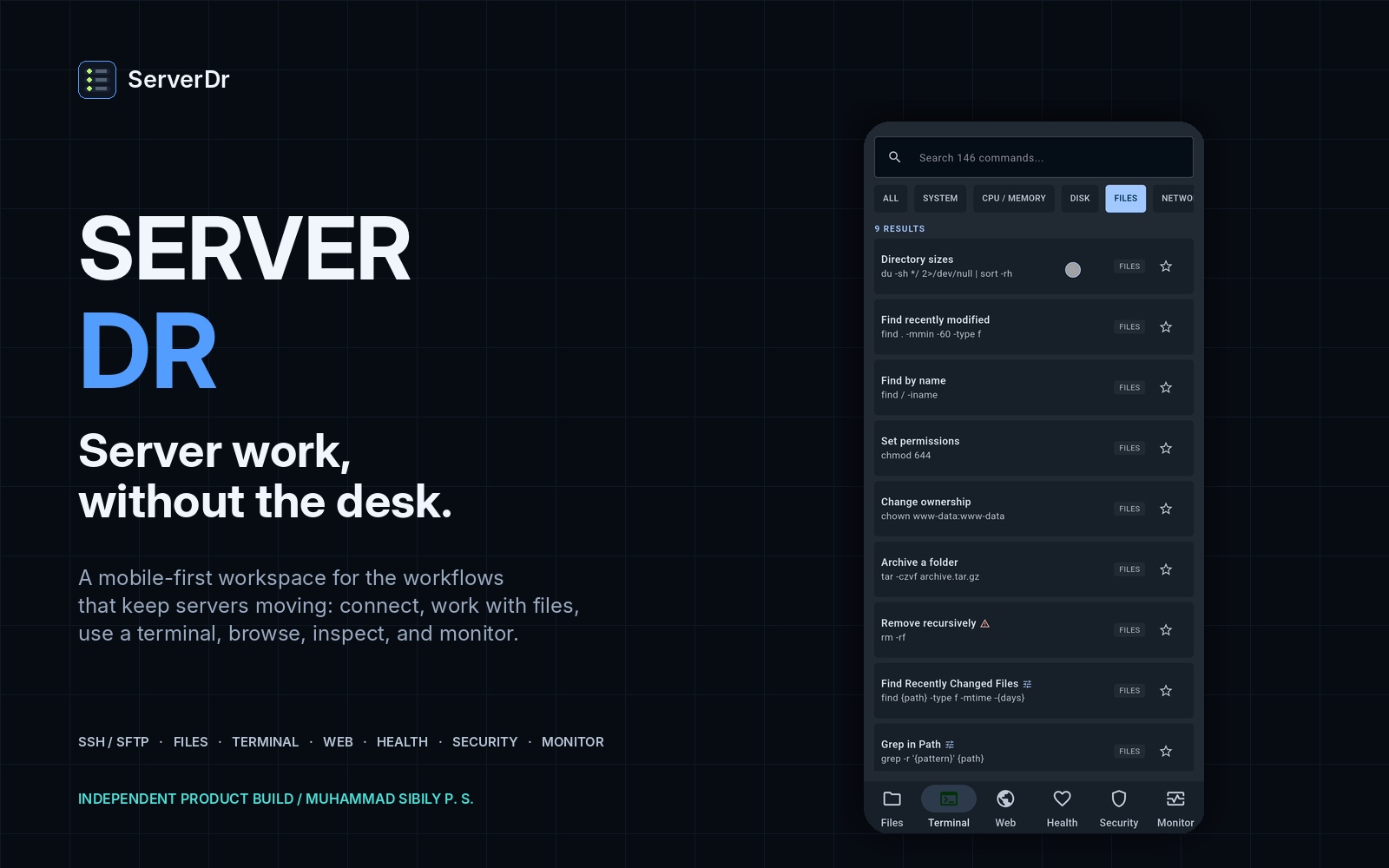
ServerDr is an Android-first server administration tool built for IT support engineers, system administrators, developers and security professionals who need practical access to their servers when a laptop isn't available. It brings SSH terminal access, SFTP file management, remote file editing, website access, server health monitoring, security checks, command discovery and file transfers into a single mobile application. ServerDr is designed around a simple principle: server administration should remain practical, transparent and under the administrator's control. The current beta works directly between the Android device and the user's server. There is no account or cloud backend required to operate the application. ServerDr is currently being developed and tested as a real-world administration tool, with deeper monitoring, security analysis, diagnostics and automation planned for future releases
Status
Prototype
Category
Apps
Year
2026
Why it exists
Server administration doesn't always happen from a desk. A server can experience an issue while an administrator is travelling, away from the workplace or without access to a laptop. Terminal applications such as Termux can provide SSH access, but managing files, services, logs, monitoring and diagnostics from a basic terminal quickly becomes inconvenient. ServerDr started from a real-world situation where I needed to troubleshoot a server from my phone and realized that I wanted something more practical than a terminal alone. I looked for an Android application that could bring the essential parts of server administration together while keeping the connection model simple and privacy-conscious. Instead of waiting for the right tool to appear, I decided to build it.
What I’m building
A practical mobile server administration toolbox that can handle the common tasks an administrator may need while away from a workstation. The long-term direction is to make ServerDr useful for: • Emergency troubleshooting • Day-to-day server administration • Server health checks • Security reviews • Website and file management • Diagnostics • Multi-server administration • Monitoring and alerting
The problem
When you're away from your workstation, server administration becomes fragmented. You may need one application for SSH, another for SFTP, another for monitoring and another for viewing logs or accessing a website. Mobile terminal applications are useful, but they don't provide the complete workflow needed for practical server troubleshooting. There is also an important security consideration: server administration tools may handle sensitive connection information, so the way an application stores and transmits that information matters.
The solution
ServerDr combines essential server administration capabilities into one Android application. Instead of switching between multiple tools, an administrator can connect to a server and move between: Connections → Files → Terminal → Web → Health → Security while keeping the workflow inside one application. The application is designed to communicate directly with the user's server rather than requiring a cloud account or remote management service.
Highlights
- SSH terminal with real server connections
- SFTP file manager
- Remote file creation and editing
- Remote file save/discard workflow
- Website access with fresh/no-cache reload
- Server health dashboard
- CPU, memory, disk and load information
- Process and service information
- Network information
- Defensive Security Center
- Authentication and SSH configuration checks
- Users and privilege information
- Listening-port inspection
- Cron/systemd inspection
- Command palette with 146+ administration commands
- 26 command categories
- Command search, favorites and recent commands
- Parameterized administration commands
- Real file upload/download transfers
- SSH host-key verification
- Multiple saved server connections
- Explicit connection-state management
- Monitoring configuration persistence
- Offline and stale-state handling
- Android-first mobile interface
- No account required
- No cloud backend required
- No third-party service required for core operation
Build story
ServerDr began with a real problem rather than a planned product idea. While travelling for a family funeral, one of the servers I manage experienced an issue. Without my laptop, I tried troubleshooting through Termux on my phone. It worked, but the experience made the limitations obvious. I wanted something where I could connect to the server, inspect files, use SSH, check health, review security information and troubleshoot websites from one place. That became the starting point for ServerDr. I chose Flutter for the Android application and began building the system around real server connections rather than mocked data. The first beta went through repeated cycles of building, testing on real Android devices, finding problems, fixing them and rebuilding.
Technical notes
Platform: Android Framework: Flutter / Dart Architecture: Direct device-to-server communication Primary protocols: SSH / SFTP Server focus: Linux UI: Dark-first professional mobile interface Terminal: SSH-based interactive shell File management: SFTP Remote editing: SFTP-backed file editing Monitoring: SSH-based server health collectors Security: Defensive server auditing and diagnostics State management: Connection and monitoring state handled locally Data model: No cloud backend required for the current beta The application uses explicit connection states including disconnected, connecting, connected, reconnecting, connection failure, authentication failure and host verification required. Health information is collected from the server through SSH and presented with clear status and stale-data handling rather than pretending that unavailable information is current. Future development ServerDr is still being built. Planned development includes: • Deeper cybersecurity analysis • Advanced log exploration • Recent file-change analysis • Web-server log analysis • Docker/container health monitoring • Monitoring history and trends • Background monitoring • Alerts and notifications • More advanced diagnostics • Security reports and evidence • Additional persistence and configuration checks • More administration automation • Improved light-theme support • Performance and reliability improvements • Android release preparation The longer-term direction may expand ServerDr into a broader server-management ecosystem, but the current priority is making the Android application reliable, secure and genuinely useful for real-world administration.